
Smart TV Internet Usage: 7 Ways Your TV Uses Data Even When You’re Not Watching

April 3, 2026
Smart TV internet usage often surprises homeowners because it continues even when the TV isn’t actively being watched. From streaming Netflix to casting videos from your phone, they make entertainment easy. But what many people don’t realize is that your smart TV uses internet data even when it’s turned off or sitting idle.
If you’ve ever wondered why your internet slows down at night, why data usage seems higher than expected, or why your Wi‑Fi feels crowded, your TV might be part of the reason.
Let’s break down what’s really happening — in plain language.
What Makes Smart TV Internet Usage Different From Regular TVs?
A smart TV is essentially a small computer connected to the internet. It runs apps, stores data, and communicates with servers online — just like a smartphone or laptop.
Even when you’re not actively watching something, your TV is often still:
- Connected to Wi‑Fi
- Running background processes
- Checking in with manufacturers and streaming services
That background activity adds up. For a more detailed explanation check out Smart TV vs. Regular TV: There’s Something You Should Know!
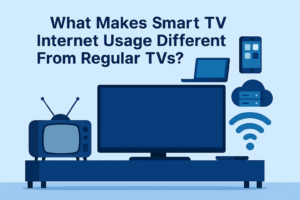
Smart TVs continue using internet data in the background, even when you’re not actively watching.
1. Smart TV Internet Usage and Automatic Software Updates
Smart TVs regularly download updates to:
- Improve performance
- Fix bugs
- Patch security issues
- Add or remove app features
These updates usually happen automatically and often overnight, when you’re not using the TV.
While a single update may not seem large, they can:
- Use hundreds of megabytes (or more)
- Compete with other devices for bandwidth
- Slow down your network temporarily
If multiple TVs or devices update at the same time, the impact is even bigger.
2. Streaming Apps Update Constantly
Apps like Netflix, Hulu, YouTube, Disney+, and Prime Video don’t just sit quietly.
Even when you’re not watching, these apps may:
- Update their software
- Refresh content libraries
- Sync user profiles
- Preload thumbnails and previews
All of this requires internet activity — and it happens automatically unless you change settings.
3. Always-On Internet Connection
Most smart TVs are designed to stay connected 24/7.
That means they’re constantly:
- Maintaining a connection to Wi‑Fi
- Sending and receiving small amounts of data
- Listening for commands from remotes, phones, or voice assistants
Even in standby mode, the TV isn’t truly “off” in the traditional sense.
4. Voice Assistants and Smart Features
If your TV supports:
- Voice commands
- Smart home integrations
- Screen mirroring or casting
- AI-based recommendations
…it’s likely communicating with cloud servers regularly.
Voice-enabled TVs may stay partially active so they can:
- Respond quickly to commands
- Sync with your phone or smart speaker
- Update recommendation algorithms
That convenience comes at the cost of additional background data usage.
5. Ads and Tracking (Yes, Even on TVs)
Many smart TVs display:
- Home screen ads
- Sponsored content
- Recommended shows and apps
To do this, they must:
- Download ad content
- Track usage patterns
- Refresh recommendations frequently
This doesn’t usually use massive amounts of data, but it contributes to ongoing background traffic — especially if multiple TVs are connected.
How Smart TV Internet Usage Affects Your Home Wi‑Fi
All that background activity can impact your network more than you might expect.
In many homes, smart TV internet usage quietly adds to overall network congestion, especially during busy evening hours.
Common symptoms include:
- Slower internet in the evenings
- Buffering when someone starts streaming
- Video calls freezing unexpectedly
- Online gaming lag when the TV is on
- Wi‑Fi feeling “crowded” with no obvious reason
In homes with kids, multiple TVs, and other smart devices, these small background uses stack up fast.
Why This Matters in Northern Michigan Homes
In Alpena and surrounding areas, many homes have:
- Larger layouts
- Older construction materials
- Multiple floors or additions
That means Wi‑Fi has to work harder to reach every device. When smart TVs are constantly using bandwidth in the background, it can expose:
- Weak Wi‑Fi coverage
- Outdated routers
- Poor device placement
This is one reason fiber internet paired with a strong home Wi‑Fi setup makes such a noticeable difference.
Reliable smart home performance often depends on strong Wi‑Fi coverage throughout the house, that’s why we offer TotalCONNECT for improving home Wi‑Fi coverage.
How to Reduce Smart TV Internet Usage
You don’t need to unplug your TV every night — but a few simple steps can help.
✅ Adjust Update Settings
- Turn off auto-updates if possible
- Schedule updates during off‑peak hours
✅ Disable Unused Features
- Turn off voice assistants if you don’t use them
- Disable screen mirroring when not needed
- Remove apps you never open
✅ Use Wired Connections When Possible
- Connecting your TV via Ethernet can reduce Wi‑Fi congestion
- This frees up wireless bandwidth for phones, laptops, and tablets
✅ Improve Your Wi‑Fi Setup
- Place your router centrally
- Consider mesh Wi‑Fi for larger homes
- Avoid hiding routers in cabinets or basements
Fiber Internet Helps Handle Always‑Connected Devices
Smart TVs aren’t going away — and neither are smart cameras, doorbells, thermostats, or gaming consoles.
Fiber internet is designed for this reality:
- Consistent speeds, even with many devices
- Better performance during peak evening hours
- Stronger support for streaming, gaming, and remote work at the same time
It’s not just about faster downloads — it’s about reliability when everything is connected.
Final Thoughts
Understanding how smart TV internet usage works helps homeowners make better decisions about Wi‑Fi placement, router upgrades, and internet speed.
If your internet feels slower than it should, the issue isn’t always how much you’re watching — it’s how many devices are quietly working in the background.
Smart TVs are incredibly convenient, but understanding how they use your internet helps you:
- Reduce slowdowns
- Improve Wi‑Fi performance
- Get more out of your home network
If you’re ever unsure whether your TV, router, or Wi‑Fi setup is the bottleneck, that’s where local expertise makes a difference.
At Lakeshore Fiber, we help Alpena homeowners build internet setups that actually work for modern, connected homes — TVs included.