
7 Best Live TV Streaming Services for Local Channels (2026 Guide) (and How to Set Them Up at Home)

April 10, 2026
Live TV streaming services are quickly replacing cable TV for homes across Alpena and Northeast Michigan. If you’re tired of rising cable bills but still want live channels—especially local stations like ABC, CBS, NBC, and FOX—streaming is a flexible and affordable option when paired with fast fiber internet.
One of the biggest questions we hear is:
“Will I still get my local channels?”
In this guide, we’ll clearly explain:
- The best live TV streaming services
- Which services do and don’t include local channels
- How to get local channels for free with an antenna
- What to do if you don’t have a smart TV
- Costs, benefits, and step‑by‑step setup instructions
No tech jargon—just practical advice from your local Lakeshore Fiber team.
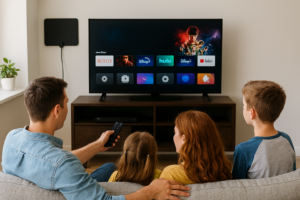
Watching live TV streaming services at home using fiber internet and a smart TV
What You Need to Stream Live TV
Before choosing a service, make sure you have:
- ✅ A fast, reliable internet connection (fiber works best)
- ✅ A TV (smart or non‑smart)
- ✅ An email address and a debit or credit card
No cable box. No contracts. No technician visits.
Best Live TV Streaming Services Compared
✅ YouTube TV – Best Overall Choice
Best for: Families, sports fans, and viewers who want local channels
Cost: One flat monthly price
Cost: One flat monthly price
What you get:
- 100+ live channels
- Local channels included (ABC, CBS, NBC, FOX, PBS in most areas)
- Unlimited cloud DVR
- Works on nearly all TVs and devices
Pros:
- Very easy to use
- Excellent picture quality
- Strong local channel availability in Michigan
Cons:
- Higher monthly cost than budget services
Local channels? ✅ Yes (availability depends on ZIP code)
Click Here to Sign Up!
✅ Hulu + Live TV – Live TV + On‑Demand Shows
Best for: Homes that want live TV and streaming originals
Cost: Similar to YouTube TV
Cost: Similar to YouTube TV
What you get:
- Live TV channels
- Local channels included
- Hulu’s on‑demand library
- Often bundled with Disney+ and ESPN+
Pros:
- Great value if you already use Hulu
- One app for live and on‑demand content
Cons:
- Interface can feel busy at first
Local channels? ✅ Yes
✅ DIRECTV STREAM – Closest to Traditional Cable
Best for: Viewers who want a cable‑style experience
Cost: Tiered pricing by channel package
Cost: Tiered pricing by channel package
What you get:
- Cable‑style channel guide
- Regional sports networks
- Reliable local channels
Pros:
- Familiar feel for longtime cable users
- No satellite dish required
Cons:
- Higher cost than most streaming options
Local channels? ✅ Yes
⚠️ Sling TV – Lowest Cost, Limited Locals
Best for: Budget‑focused viewers
Cost: Lower monthly price
Cost: Lower monthly price
What you get:
- Smaller channel packages
- Optional add‑ons
Pros:
- Most affordable live TV option
- Flexible channel choices
Cons:
- Local channels usually NOT included
- May require an antenna for locals
Local channels? ❌ Usually no – Get an antenna to get your local channels for FREE!
✅ Fubo – Sports‑Focused Streaming
Best for: Soccer and sports fans
Cost: Mid‑to‑high range
Cost: Mid‑to‑high range
What you get:
- Strong sports lineup
- Local channels included
- Cloud DVR
Local channels? ✅ Yes
How to Get Local Channels for FREE with an Antenna
If your streaming service doesn’t include local channels—or you want to keep costs as low as possible—there’s a simple solution many households overlook:
✅ Use a TV Antenna
Local channels like ABC, CBS, NBC, FOX, and PBS are broadcast over the air for free. With a basic antenna, you can watch them in full HD with:
- No subscription
- No internet usage
- No monthly fees
This works great alongside streaming services like Sling TV—or even with no live TV service at all.
Indoor Antennas: The Easiest Option for Most Homes
For most homes and apartments in Alpena and surrounding areas, an indoor antenna works very well.
Our Simple Recommendation
You can find easy‑to‑use flat indoor HDTV antennas at any Walmart. Look for brands like:
Our Overall Pick is the RCA
What to look for on the box:
- “Indoor HDTV Antenna”
- Flat or thin design
- Range of 40–60 miles
- Includes a coax cable
💲 Typical cost: $20–$40
📺 No ongoing fees
📺 No ongoing fees
These antennas are:
- Lightweight
- Easy to hide behind a TV or hang on a wall
- Perfect for first‑time cord‑cutters
How to Set Up an Indoor Antenna (Step‑by‑Step)
-
Plug it in
Connect the antenna’s coax cable to the ANT / CABLE IN port on your TV. -
Place the antenna
- Near a window or exterior wall
- Higher is usually better
- Avoid metal objects or thick walls
-
Scan for channels
Using your TV remote:- Open Settings
- Go to Channels or Live TV
- Select Antenna / Over‑the‑Air
- Choose Scan for Channels
-
Fine‑tune if needed
If a channel is fuzzy, move the antenna slightly and re‑scan.
Once it’s set, you’re done—no apps or logins required.
Using an Antenna and Streaming Together
Many Lakeshore Fiber customers use both:
- 📡 Antenna for local news, weather, and sports
- 📺 Streaming services for cable channels and shows
This setup:
- Saves money every month
- Guarantees access to local emergency alerts
- Still works even if a streaming service changes its lineup
Don’t Have a Smart TV? No Problem.
Any TV with an HDMI port can stream using a streaming device.
Popular Options
- Roku – Easiest for most users
- Amazon Fire TV Stick – Great for Prime members
- Apple TV – Fast and polished (higher cost)
- Google Chromecast – Simple and compact
Plug it in, connect to Wi‑Fi, install your apps, and you’re ready to go.
Why Fiber Internet Makes Streaming Better
Live TV streaming uses more data than on‑demand shows. Fiber internet provides:
- Smooth live sports with no buffering
- Clear HD and 4K picture quality
- Multiple TVs streaming at once
- Consistent speeds, even during peak hours
That reliability is why so many local households say streaming feels better than cable ever did.
Need Help Choosing or Setting This Up?
Every home is different—especially in Northern Michigan, where older homes and layouts can affect Wi‑Fi and antenna placement.
If you need help:
- Choosing the right streaming service
- Picking an antenna
- Improving Wi‑Fi coverage
- Setting everything up
Our local Lakeshore Fiber team is always happy to help you make the switch with confidence. You can reach Kyle Directly at 989-786-0407